
How to invite team members
-
Invite members:
-
Access this URL: https://portal.scs.startale.com/settings/team or on the settings page, click on the
Teamtab.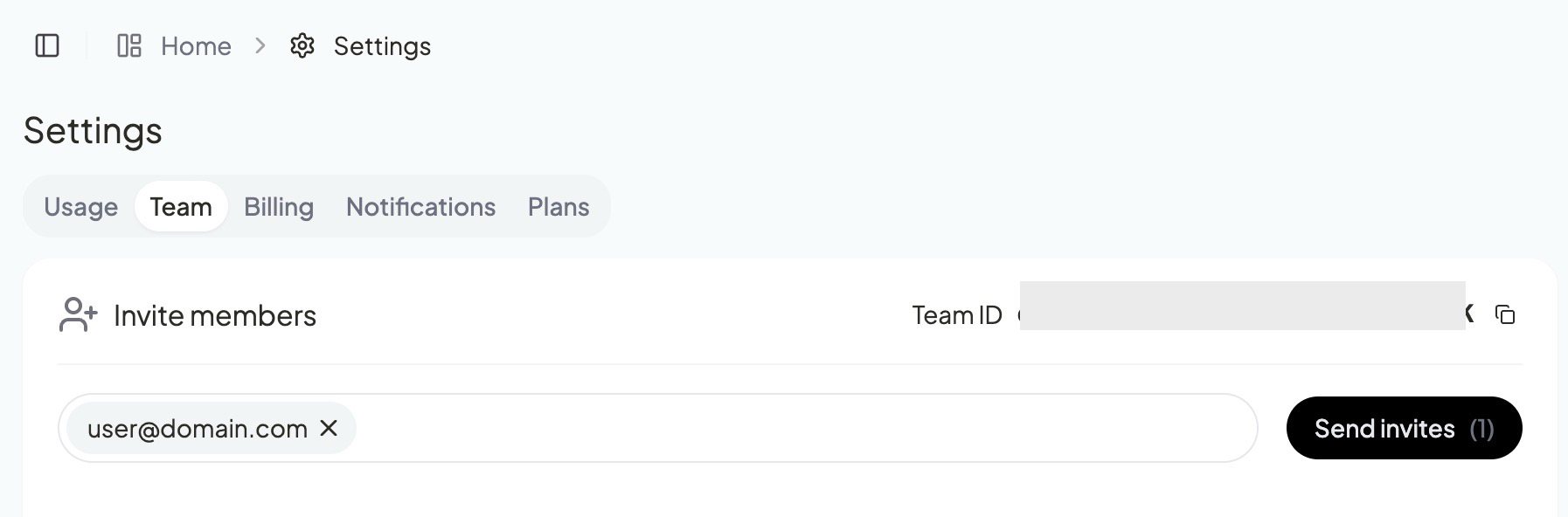
-
Now enter the email of the user you want to invite and press
EnterorTabthen click on theSend invitesbutton.
-
-
Invitation Status:
-
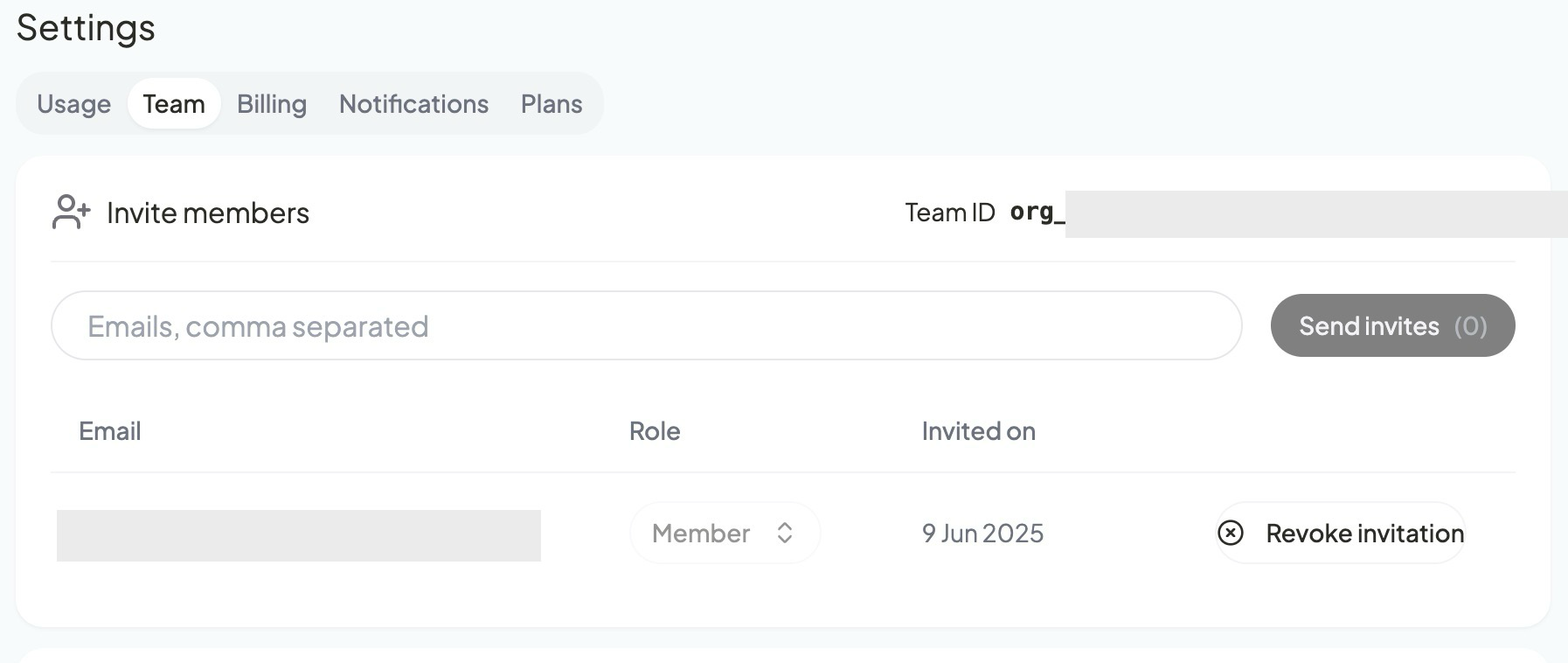
Invited users will show up in a table just below the invite input box as shown below. You always have an option to revoke the invite just in case you entered a wrong email or for any other reason.
-
-
User Acceptance:
- The invited users can join the team by accepting the invitation link sent to their email.
-
Role
- You can set the role of the user using the role column drop-down list. By default the role is Member.
Updated 7 months ago